

Why Should You Get On The Cloud?
A recent article by The Guardian (UK) states that the cloud industry is set to see a growth of around 30% soon. But many small and medium business owners are still struggling to make sense of the cloud and how it can benefit them. If you are one of them, then here’s what’s in store for you when you migrate to the cloud:
1. Connectivity - Being on the cloud gives you unparalleled connectivity to your data—from anywhere and at any time. All you need is a device that can connect you to the web and you are set!
2. Save On Hardware Costs - Using the cloud for certain programs spares you the cost of investing in specific hardware. Even devices as simple as your smartphone or a tablet can help you access those applications so you don’t have to spend money on dedicated hardware. Studies have shown that cloud users end up enjoying as much as a 17% IT cost reduction compared to their non-cloud counterparts.
3. Cloud Enables SAAS - The cloud allows you to use software as a service. Microsoft 365 is one such example. When you use software as a service, you enjoy certain benefits such as more regular updates at a lower cost and the ability to have anyone work on the program for you by sharing the access credentials with them.
4. More Efficient Use of IT Staff - Moving to a cloud-based environment puts the burden of maintenance and downtime reduction on your service provider. That means you can use your limited IT staff more efficiently and also don’t have to worry about the costs associated with such maintenance or downtime.
5. Improved Productivity - Studies have shown that cloud users enjoy better productivity than their non-cloud counterparts. This could be because cloud service providers are better equipped to handle any IT eventualities than the average SMBs.
So, perhaps it’s time to ‘get cloudy’ and enjoy all that the cloud has to offer your SMB. And…if you need help in doing that, we are just a phone call away!

The Benefits of a Managed Service Provider
Managed Service Providers – or MSPs – are often recommended as a cost effective IT solution for small businesses. For a minimal monthly fee, MSPs provide a reasonably priced solution to the complex technology pains of small businesses. Here’s a look at the various benefits an MSP can offer your business…
- Freed-Up Resources and a Renewed Emphasis on Core Business – Both business owners and internal IT staff would much rather focus on revenue enhancing tasks like product development or the creation of cutting-edge applications/services. This is one reason routine monitoring and maintenance tasks are often neglected by an internal IT person or team, which always proves to be detrimental much later.
Often misportrayed as a “threat” to an internal IT person or staff, MSPs can instead relieve internal staff of mundane network operations maintenance, repetitious monitoring of server and storage infrastructure, and day-to-day operations and help desk duties.
- A True Partner Sharing Risks And Responsibilities –The goal of an MSP is to deliver on contracted services, measure, report, analyze and optimize IT service operations, and truly become an irreplaceable catalyst for business growth. Managed Service Providers not only assume leadership roles, they enable risk reduction, enhance efficiency and change the culture by introducing internal IT operations to new technologies and processes.
- Access to Expertise, Best Practices and World-Class Tools and Technologies – MSPs have experience with a variety of businesses and organizations. Managed Service Providers can keep your business relevant and on track with continually evolving technology, support, and productivity demands. Let’s face it, no small or medium sized business can afford to fall behind with technology trends in today’s business world.
- The Benefit of a Full-Time Fully Staffed IT Department at a Fraction of the Cost – Most small business owners live and die by proactive management. They just haven’t had the budget, resources or access to on-demand expertise to be proactive with information technology management. A Managed Service Provider gives business owners and overwhelmed internal IT staff affordable computer and server support, remote monitoring of critical network components like servers and firewalls, data backup and disaster recovery, network security, custom software solutions, and technology evaluation and planning.
Managed Service Providers can decrease the overall IT support costs by as much as 30% to 50%. Rather than being stressed about technology, business owners can instead get back to focusing on growing their business. All while enjoying the benefits of highly-trained IT experts boosting their network’s reliability and performance.

Is your Business Safe from Virtual Threats?
Did you know that 50% of small business owners think their businesses are too small to be targeted by the thieves of the virtual world? Contrary to popular belief, 72% of hacker attacks often happen to smaller firms – firms with less than 100 employees! So how prepared is your SMB? Here’s a checklist to help you find out how vulnerable you are to these attacks.
1. Do you have Antivirus protection? – An antivirus software program can protect you from threats that originate from emails such as phishing and virus attacks. However, the most striking fact is that 61% of small businesses don’t install any antivirus software! If you are one of them, then it’s time to change!
2. How sturdy is your Firewall? – A good firewall system protects your computers from the variety of threats that exist in the virtual world. Examples include harmful cookies, viruses, worms and other such malicious programs used by hackers.
3. Do you use a Spam filter? – Using a simple spam filter for your emails keeps junk out of your inbox. The bonus to having a good spam filter is that your employees save time, as they are not distracted by irrelevant emails, but the major perk here is that the potential virus and phishing threats are lessened as spam emails are unlikely to be opened.
4. Do you do backup your data regularly? – Agreed – backups don’t really protect your data, but they are the only way to recover it if data loss does happen. So, be sure you have a regular and reliable backup plan in place – and it is actually being deployed.
Data loss can prove very costly—especially to SMBs, sometimes even resulting in them having to close down. Prevention is certainly better than a cure in such cases.

Mitigate Costly New Technology Risks for Continued Stability and Profitability
Partnering with a managed service provider (MSP) is one new approach being used by many companies like yours. Experienced MSPs have access to newer tools that reduce costs by automating many routine in-house labor intensive processes. Break-fix is labor intensive, and labor is one of the most expensive operating costs within your IT infrastructure. The new innovative tools that can be provided by MSPs generate real productivity increases and mitigate the risk of network failure, downtime and data loss from human error.
MSPs deliver a trusted foundation for your team and your customers. Some of the services and tasks offered include:
- Remote Desktop Management and Support
- Predictable Management of Critical Patches and Software Updates
- Fractional Resource Availability of Best-In-Class Expertise – scaled to your needs
- Implementing and Testing Backup and Disaster Recovery Processes
- Performance of Inventory and Audits of Computer/Network/Software
- Enforcement of Network/Security Policy
- Monitoring of Network/Operating System and Alerts
- Updating Anti-Virus Software and Detecting Spyware
Erase any misconception that managed service providers are nothing more than “outsourced” tech help priced to displace your in-house IT technician or team. The new MSP has defined new methodologies and technology partnerships to offer valuable preventative services that proactively locate and eliminate threats before a bigger problem arises.
MSPs today put considerable effort into understanding the operational and business needs of SMBs to develop and deliver a set of specific services that align technology with the SMB’s business objectives. This is the reason you hear managed services often referred to as “partners.” A present day MSP offers quantifiable economic value, greater ROI and decreased total cost of operation by streamlining costs and eliminating unnecessary lost productivity, revenue, and avoidable on-site IT consultant fees, in addition to eliminating the need for costly hardware/software repairs or replacement.

BYOD: Why is This Concept So Attractive to Employees?
Bring Your Own Device, or BYOD, to work was an idea a few years ago that is becoming a reality very fast. To use your personal smartphone, tablet or laptop for work seems increasingly natural. Employees are embracing this concept without any serious reservations. As more and more business activity becomes technology driven, to have electronic gadgets right by your side all the time make sense. According to a survey conducted by Logicalis about 75% of employees in high growth markets such as Brazil and Russia and 44% in developed markets bring their own devices to work.
Let's examine all the factors causing people to want to use their own devices at work.
- Familiarity: This may be the most relevant reason for someone to bring their own tablet or laptop to work. It may be the operating system, web browser, or other apps on their devices that they know so well and feel comfortable using.
- Convenience: Companies have been providing their employees mobile phones for business use for a few decades. Now those employees have to carry two phones, since everyone also has a personal phone. This duality is a nuisance. It is hard enough to care for one mobile phone and now they have to worry about two of them. The reality is that companies expect employees to be in contact 24/7, so company devices can't just be used at work. They have to be carried home, out to the store, etc. If the employees have a choice they would much rather carry just one phone, their own, enabling them to be reachable by family and friends anytime. Also it could be cheaper if their company offers to share the cost of using their device for business.
- Productivity: Convenience can also result in better productivity. Having fewer devices means fewer distractions. Fewer distractions equals less wasted time. Saving time is always good for productivity.
- Personal contentment:It makes employees feel good to be able to use their own devices at work. Higher employee morale is very important for any organization. Happier employees are more likely to work hard. A positive environment is also a factor in lower turnover. So if an employer gives its employees the liberty to bring their own devices to work it may have more satisfied workers.
Overall, people in the workplace are using their own devices so they can accomplish more in less time. It makes them happy to have their personal devices at work, as well as making them feel good about their job if they are allowed to use the devices that they are most familiar with.
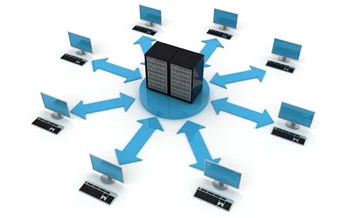
Data Loss Can Cause You to Shut Down
Small and medium sized businesses today are relying more than ever on IT systems to efficiently run their business, support customers and optimize productivity. These systems house sensitive digital data ranging from employee and customer information, to internal emails, documents and financial records, sales orders and transaction histories. This is in addition to applications and programs critical to daily business functions and customer service.
While corporate-level data losses and insider theft are well publicized, many smaller businesses have also become casualties of data loss and theft. Following a significant data loss, it is estimated that a small-to-medium sized business can lose up to 25% in daily revenue by the end of the first week. Projected lost daily revenue increases to 40% one month into a major data loss.
According to The National Archives & Records Administration in Washington, 93% of companies that have experienced data loss, coupled with prolonged downtime for ten or more days, have filed for bankruptcy within twelve months of the incident while 50% wasted no time and filed for bankruptcy immediately. Finally, 43% of companies with no data recovery and business continuity plan actually go out of business following a major data loss.
Still, a survey conducted by Symantec SMB revealed that fewer than half of SMBs surveyed backup their data each week. Only 23% of those surveyed said they backup data every day and have a business continuity plan in place.
Businesses play on a much bigger playing field than they did two decades ago. Any disruptive technological event – even the smallest of incidents – can have an amplified impact on day-to-day business and profitability. Being proactive with data recovery solutions, and having emergency response procedures in place prior to a disruption or data disaster, is the only way to minimize downtime and soften the impact of such events.

Five Things You Should Do Right Now to Preserve Your Network and Systems
As catastrophic as data loss is, the number of businesses that still are not backing up their network is unbelievable. According to the Symantec Small to Medium Size Businesses (SMB) data, only 23% of SMBs are backing up their data on a daily basis and fewer than 50% are backing up data weekly.
1. Backup Files Every Day – As catastrophic as data loss is, the number of businesses that still are not backing up their network is unbelievable. According to the Symantec Small to Medium Size Businesses (SMB) data, only 23% of SMBs are backing up their data on a daily basis and fewer than 50% are backing up data weekly. Any number of events can result in data loss, so the importance of frequently backing up your network cannot be overstated.
2. Ensure Backup Procedures Are Checked Regularly – Many times business owners think that they have a backup system in place only to find out after it’s too late that it hasn’t been working properly. It may seem like your files are being backed up daily, however, the backup could have become corrupt or it is not backing up huge chunks of critical data. Check your backup procedures regularly to ensure they are working properly in order to be sure that ALL of your data can be recovered. In the age of BYOD (Bring-Your-Own-Devices) it is also important to frequently backup data on your employee’s personal laptops, iPads or Blackberrys, so make sure you have a procedure in place to check those backups as well.
3. Make Sure Updated Virus Protection and Firewalls Are Always Enabled – Far too many companies either have no virus protection, expired virus software licenses, or disabled virus programs that aren’t running at all. This makes their business technology vulnerable to virus attacks from emails, spam, data downloads, and unreputable websites. Further, because of inadequate firewall protection about 40% of small to medium businesses will have their network accessed by a hacker. Chances are, when these businesses are attacked they will be entirely unaware it is happening. In order to protect your valuable data and assets, ensure your virus protection is adequate, up-to-date and functioning properly and that your firewall is intact. Finally, don’t forget to update security patches and change passwords when an employee leaves in order to deter hacking attempts.
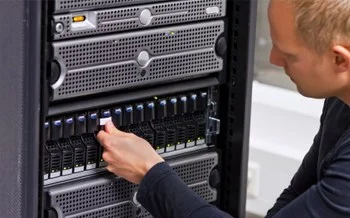
4. Monitor Server Drives – Dangerously full server drives can bring their own set of problems – ranging from program and server crashes to sluggish email delivery. Proactive monitoring and maintenance of your server can spare your business a lot of problems down the road.
5. Regularly Check Critical Built-In Logs – Very few problems with technology emerge suddenly. These problems typically progress over time and evolve into more serious problems. Frequently review your critical built-in log files to help identify the problem before it has gotten out of control and wreaks havoc on your business infrastructure.
Be Proactive: How to Avoid Potential Network Failures
For small- to medium-sized businesses (SMBs), an IT network failure can be devastating because they don’t have the resources of large corporations to bounce back from such disasters. Preparation against such devastation may be the only course for them to avoid failure and survive with the least damage if failure occurs. SMBs must be proactive in recognizing the eventuality of a cyber attack or human error that can cause data loss and disrupt business continuity. This is what needs to be done to help prevent a potential failure.
Be prepared: Being proactive is an essential step for preparation against a disaster. There are two ways to determine how to best prepare to prevent potential failure of your infrastructure. First, you need to identify the weaknesses throughout your systems, and second, determine how you are going to eliminate those weaknesses and protect your network.
Identify the weaknesses: Determine how and why your system could fail. Examine all aspects of your hardware and software. Assess all the internal and external factors that could contribute to failure of your networks. Here are some questions you need to know the answers to.
- Does customer access and/or employee productivity often stall because of downed systems? In these situations, how quickly is your IT support able to minimize the damage?
- Can you say with certainty that your business will be back on line and be able to access lost data with minimal disruption in case of failure?
- Your critical data should be backed up frequently. The data on personal laptops, iPads and other mobile devices should also be backed up. Are all these steps being taken, and how often?
- Are all backups stored in a location off-site and are they quickly accessible in the event of corruption, fire or flood?
- Are you using any custom made software? Can it be reinstalled and updated when needed?
- Are your systems truly protected from hackers and viruses? Do you change passwords when employees leave the company?
- How often do you test your backup processes?
The answers to all these questions should give you a clear picture of your network’s ability to survive in case of a catastrophe.
Here are five steps that you can take to protect your networks
- Backup files every day: There are a large number of businesses that never backup data. Only 23% of SMBs are backing up their data daily, and only 50% are doing it weekly. A number of issues can result in loss of data. You should backup data every day.
- Check backup procedures regularly: Don’t find out accidently that your backup system is not working properly. By then it could be too late. It may seem like your data is being backed up normally, but check frequently if it is backing up the way it should be. In this age of BYOD make sure all employees are also following procedures to backup data on their laptops, iPads, etc.
- Make sure virus protection and firewalls are always enabled: Many companies either don’t have virus protection installed or it is disabled. That renders their networks vulnerable to virus attacks from emails, spam and data downloads. Corrupted files will not only bring your systems down but they can spread to your customers and email contacts. That will spell disaster for your reputation. Hackers are always looking for unprotected and open ports online that they can attack with malicious code or files. That can cause permanent data loss.
- Monitor server drives: Dangerously full server drives can cause many problems, ranging from program crashes to sluggish email delivery. Servers should be monitored and maintained regularly to avoid these problems.
- Check built-in logs: Frequent reviews of built-in logs can reveal small issues. You will have a chance to prevent them from becoming bigger, harder-to- manage problems that can bring your systems down.
Summary: We now know IT system failures have very serious consequences for SMBs. We also know that they can avoid such failures by being proactive. Many SMBs are now turning to cloud-based services and virtualized backup solutions to mitigate downtimes and network failures. Virtualization and cloud computing have enabled cost-efficient business continuity by allowing entire servers to be grouped into one software bundle or virtual server – this includes all data, operating systems, applications, and patches. This simplifies the backup process and allows for quick data restoration when needed.